Let’s start with a fact about how mid-market HR and payroll leaders actually learn about Dayforce: most of the searches that bring them to a firm like Harmon & Co are not the short head terms. They are long-tail questions — searches that combine the platform name with a specific pain point, a specific role, a specific time window, or a specific compliance trigger. “Dayforce implementation cost,” “Dayforce payroll hypercare first 90 days,” “Dayforce ACA 1095-C configuration errors,” and “Dayforce data migration ADP extraction” are all long-tail queries, and each one points to a different buyer need and a different stage in the evaluation or stabilization journey. This resource guide consolidates the questions we hear most often in mid-market Dayforce conversations and links each one to a focused, in-depth guide on the topic.
What mid-market HR teams are actually searching about Dayforce
The search behavior around Dayforce clusters in two lanes. The first lane is buyer-lane search: queries raised during evaluation, sourcing, and procurement. The second lane is stabilization-lane search: queries raised after go-live by teams trying to recover a specific situation — a configuration that is not behaving as expected, a compliance filing that produced a penalty, an integration that stopped sending data, a payroll cycle that produced exceptions the partner cannot explain.
Buyer-lane queries lean toward comparison and structure: pricing models, partner-versus-direct tradeoffs, mid-market fit, and timeline expectations. Stabilization-lane queries lean toward root cause and remedy: “why is our Dayforce payroll cycle producing exceptions,” “how do we fix a 1095-C error,” “what does parallel payroll really validate.” Both lanes are legitimate long-tail SEO signals — and both deserve dedicated resources rather than being answered in passing inside a generic blog post.
The structure of this guide follows the buyer journey most mid-market HR leaders walk: questions raised before contract first, questions raised during the implementation project second, and questions raised during the post-go-live stabilization window third. Each section below pairs a representative cluster of long-tail searches with the guide that answers them. If the topic is the one you came here for, follow the link to the focused resource.
Long-tail queries about Dayforce pricing, PS/VAS, and consulting costs
The most common Dayforce pricing searches from mid-market buyers are not asking what the license costs — Dayforce publishes license ranges. They are asking what the implementation services cost on top of the license, how the partner agreement is structured, whether Professional Services (PS) or Value-Added Services (VAS) is the right vehicle for the scope, and how a fixed-price consulting engagement compares against the default time-and-materials model. Mid-market HR and finance leaders also search for independent consultant cost, freelance specialist cost, and fractional support cost as second opinions on the partner proposal they have in hand.
The pricing universe is wider than the typical proposal acknowledges. Time-and-materials contracts under PS or VAS produce predictable variance patterns — scope drift between phases, slow turnaround on exceptions during peak workload, after-hours support credits that are paid but rarely consumed. Fixed-price engagements address those patterns through scope definition rather than hour tracking, and freelance specialists address narrow-scope configuration or integration work that the partner is not staffed to deliver.
For the comprehensive breakdown of how PS and VAS are structured for mid-market buyers, where hours tend to evaporate, and how a fixed-price engagement compares to the same scope on time-and-materials, see our Dayforce PS/VAS pricing guide. For the parallel question of what it costs to engage an independent Dayforce implementation consultant alongside an existing partner, see our independent Dayforce implementation consultant cost guide. For the smaller-scope configuration work — a single form rebuild, a single XML fix, a single report build — see our freelance Dayforce configuration specialist guide for the freelance model. The three posts cover different scopes, and a mid-market buyer evaluating any of them benefits from understanding which scope fits their work.
Most mid-market buyers treat the partner proposal as a cost-approval workflow: read the number, compare the number, approve the number. The long-term answer is that the proposal is a project-shape document — it defines how scope will be handled, how exceptions will be resolved, and how ownership will transfer at go-live. Reading the proposal as a project-shape document produces better cost outcomes than reading it as a number, because it surfaces the structural decisions (T&M vs fixed-price, partner-only vs partner-plus-specialist, single engagement vs phased engagement) that drive total cost far more than the rate card does.
Long-tail queries about Dayforce implementation timelines and project structure
Need hands-on help with Questions Keywords and Long Tail?
Talk to our team →Implementation timeline searches from mid-market buyers typically combine an honest but quiet worry with a vendor-comparison need. The honest worry: how long does this actually take, and what happens if we go over. The vendor-comparison need: how does the Dayforce timeline compare to Workday, ADP Workforce Now, UKG, or SAP. Mid-market HR leaders evaluating Dayforce almost always run the same Dayforce-versus-other-vendor searches in parallel — and those comparison searches are the second biggest long-tail cluster on the topic.
The honest answers to timeline searches are not comforting: mid-market Dayforce implementations almost never run on the partner’s initial estimate. The most common sources of timeline drift are data quality issues that surface late, integration scope that was understated at kickoff, internal decision cycles that are slower than the partner’s cadence, UAT compressed to meet the contractual go-live date, and scope creep between phases. Each one is preventable — but only if it is named at the kickoff, not at the third phase review.
For a complete guide on what a typical mid-market Dayforce implementation timeline actually looks like, the common delay risks by phase, and the prevention actions that compress each one, see our Dayforce implementation timeline guide. For the broader failure-mode survey — the five root causes that derail mid-market implementations across all phases, with mitigation steps for each — see our Dayforce implementation failure guide. For the comparison-lane searches that often run alongside timeline searches, see our guides on Dayforce vs Workday for mid-market, Dayforce vs ADP for mid-market, Dayforce vs Oracle HCM Cloud for mid-market, and Dayforce vs SAP SuccessFactors for mid-market.
Long-tail queries about Dayforce post-go-live stabilization and payroll hypercare
Stabilization-lane searches from teams who have already gone live on Dayforce cluster around payroll hypercare — the 6 to 12 weeks between parallel payroll ending and the implementation partner stepping out. The most common patterns we hear in those searches: a configuration exception that appeared under production conditions but was not surfaced in parallel payroll, an off-cycle correction cascade that introduced YTD variance on subsequent cycles, an unclear ownership gap that left exceptions unresolved, a knowledge transfer gap from partner to internal team, a cycle processing capacity gap inside the internal team, a communication failure when an error reached employees, and a compliance filing sourced from flawed hypercare payroll data.
The hypercare window is where most mid-market Dayforce projects quietly break after a “successful” go-live. The breakage is usually not visible until the first year-end tax reconciliation or the first quarterly state withholding filing. By that point, corrections require amended filings, penalty resolution, and employee-level communication — costs that are consistently higher than the cost of the fractional Dayforce specialist that would have prevented them.
For the full failure-mode survey of why the first 90 days after go-live are where most mid-market projects break, see our Dayforce payroll hypercare failures guide. For the broader mid-market migration pain points — the operational handoffs and integration ownership gaps that surface across the entire stabilization window — see our Dayforce mid-market migration pain points guide. For the coverage shape that prevents most hypercare failures — a fractional Dayforce specialist running alongside the internal team for the first 6 to 12 weeks — see our Dayforce services overview for the managed services retainer line item.
Long-tail queries about Dayforce configuration, integrations, and APIs
Configuration and integration searches from mid-market Dayforce teams divide into a few clusters. There are configuration-by-module queries — XML forms, workflow routing, pay group configuration, leave management accruals, benefits open enrollment, position management hierarchy, time and attendance work rules. There are integration-by-pattern queries — SFTP feeds to benefit carriers and GL systems, Integration Studio API builds, webhook event flows, and SSO configuration. There are debugging-by-symptom queries — a webhook that is silently failing, an SSO loop on the mobile app, an Integration Studio path that resolved to an ambiguous endpoint, an authorization 401 on a webhook call.
The honest answer to configuration and integration queries is: most of the failures that surface in production hypercare are configuration failures or integration failures, not platform bugs. Dayforce’s configuration model is precise; precision produces reliable behavior when the configuration is right, and equally precise failure modes when the configuration is wrong. Most mid-market teams hit the same configuration failure shapes during their first year on Dayforce, and most of those shapes are documented in our focused configuration guides.
For module-by-module configuration coverage — Benefits, HR, Leave, Payroll, Position Management, Time and Attendance — see our guides on Dayforce benefits enrollment configuration, Dayforce HR module configuration, Dayforce leave management configuration, Dayforce payroll configuration, Dayforce position management configuration, and Dayforce time and attendance configuration. For integration coverage — SFTP, Integration Studio, webhooks, API best practices, SSO setup — see our guides on Dayforce API integration best practices and Dayforce SSO Azure Active Directory setup. For the troubleshooting-lane searches that often run alongside configuration searches, see our guides on Dayforce webhook 401 unauthorized errors, Dayforce Integration Studio path ambiguity, and Dayforce mobile app Face ID login loop fix.
Long-tail queries about Dayforce compliance, ACA, and year-end
Compliance searches from mid-market Dayforce teams are the highest-leverage long-tail lane in the entire set: they combine an obligation (ACA, year-end W-2, quarterly withholding) with a deadline (April filing, January W-2 issuance, quarterly state filings) and a configuration dependency (Dayforce is the system of record for the codes). A misconfigured Dayforce environment produces compliance failures that surface months after the configuration decision was made — and the failures carry penalty exposure, amended filings, and employee-level communication costs.
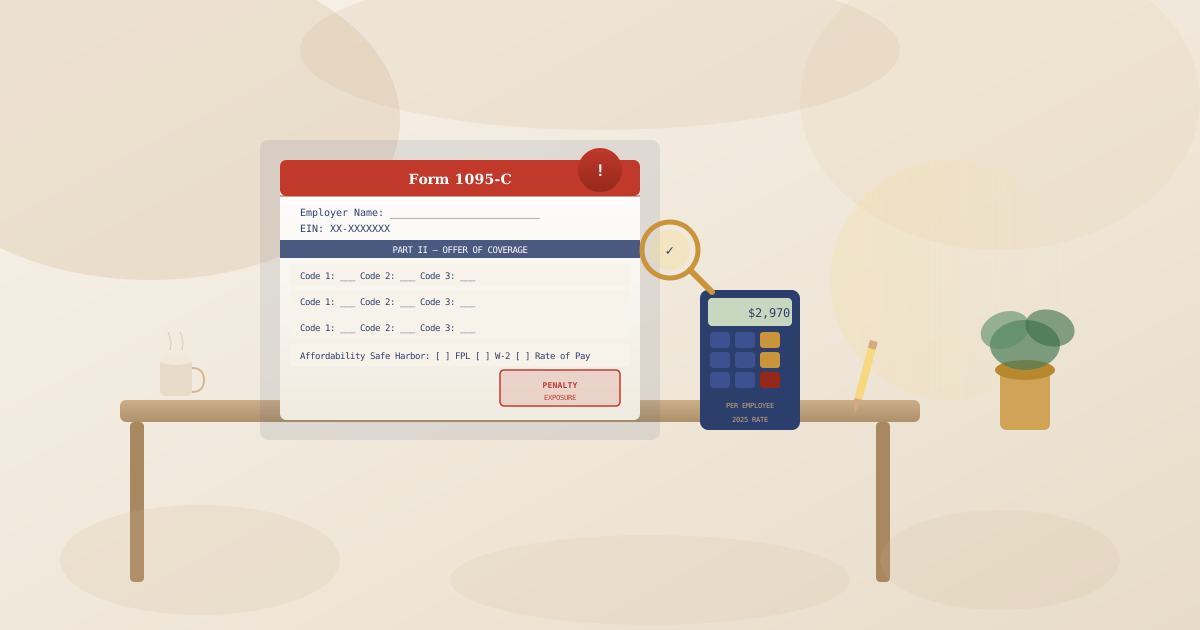
ACA penalty exposure is the most-searched Dayforce compliance topic, and the searches usually land in one of three shapes: offer period misconfiguration, coverage tier mismapping, or variable hour employee tracking errors. Each shape produces incorrect 1095-C codes; incorrect codes produce IRS penalties; penalties are calculated per employee per month. For a mid-market company with several hundred employees and a single ACA configuration error that has been running for a full year, the penalty exposure lands in the high five to low six figures before any single correction action.
For the complete guide on how misconfigured Dayforce environments trigger ACA penalty exposure — and the structured audit process to find and fix configuration errors before the next 1095-C filing — see our Dayforce ACA penalty exposure guide. For year-end payroll compliance — the checklist cadence that mid-market payroll teams use to close out W-2, 1099, and quarterly withholding obligations — see our Dayforce year-end payroll compliance checklist. For payroll tax configuration errors specifically — multi-state jurisdiction setup, supplemental wage rates, garnishment priority order — see our Dayforce payroll tax configuration errors guide. For the broader compliance services scope that handles these engagements on a fixed-price basis, see our Dayforce compliance services page.
Long-tail queries about Dayforce data migration and legacy-HRIS replacement
Data migration searches from mid-market Dayforce teams cluster around legacy system extraction patterns — most prominently ADP extraction and UKG extraction — combined with field mapping decisions that have downstream consequences in Dayforce configuration. The most searched shapes are: how to extract YTD balances from ADP for a mid-year migration, how to translate UKG position hierarchy into Dayforce’s position-based org model, how to handle garnishment balance history through the migration, and how to load and validate record counts in the Dayforce staging environment before go-live.
Data migration is the highest-risk phase in a Dayforce implementation because failures compound. An extraction failure becomes a transformation failure becomes a load rejection becomes a parallel payroll variance becomes a production payroll error. By the time a data migration failure reaches production payroll, it is not a migration error anymore — it is a payroll error, and the cost of correction is significantly higher than the cost of prevention.
For the phase-by-phase breakdown of where data migration fails and the prevention checklist that addresses each phase, see our Dayforce data migration failure guide. For the ADP- and UKG-specific extraction patterns, see our Dayforce data migration ADP and UKG guide. For the broader migration pain points that surface across all legacy replacement projects — not just data, but operational handoffs and integration ownership transitions — see our Dayforce mid-market migration pain points guide.
How to turn this guide into a real engagement
The long-tail searches behind every section of this guide carry the same underlying signal: a mid-market HR or payroll leader trying to find the right answer to a real operational question. Some of the searches resolve in a couple of hours with a focused guide. Others — particularly the implementation, hypercare, migration, and compliance searches — resolve through a structured engagement with a fixed-price Dayforce specialist rather than documentation alone.
If you reached this guide through one of the searches above and you are not sure whether your situation calls for a guide, a 30-minute consult, or a structured engagement, the right next step is a short conversation. We can usually tell in 30 minutes whether your scope is small enough to handle through documentation, large enough to handle through a focused single-deliverable engagement, or shaped well enough to handle through an ongoing managed services retainer. We will tell you honestly when a guide is the right answer and when an engagement is.
For the full scope of fixed-price engagements that Harmon & Co delivers — module configuration, integration build, compliance remediation, payroll hypercare, data migration, reporting — and their price points, see our Dayforce services overview. For ACA and year-end compliance scoping, see our Dayforce compliance services page. And if you have read through this guide and want a structured Dayforce review of your existing environment — configuration, compliance posture, integration health, or hypercare readiness — the Dayforce Diagnostic engagement is the entry-point most mid-market teams use to scope that conversation.
If your question brought you here and the matching guide above did not resolve it, talk to our team. We work with mid-market companies exclusively, and we can usually scope a focused next step in 48 hours.
Struggling with Dayforce Consulting?
Harmon & Co specializes in Dayforce consulting for mid-market companies. We fix it the first time — no endless ticket queue, no generic advice.