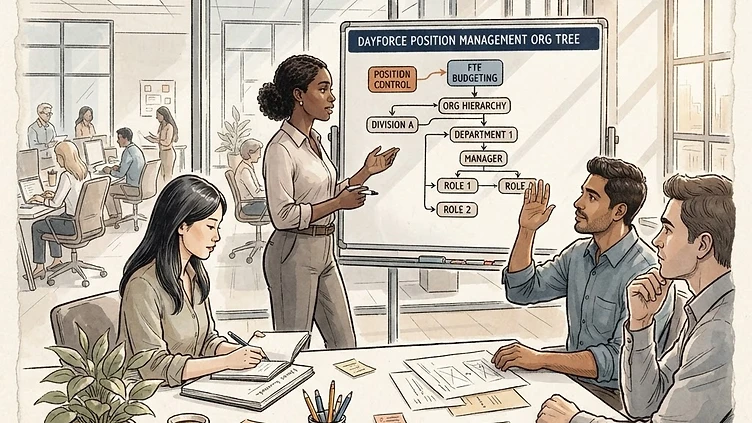
Dayforce position management is the foundation that everything else in the platform sits on — payroll, reporting, org charts, headcount budgeting, and succession planning all depend on how positions are defined and maintained. It's also one of the areas where mid-market implementations most consistently cut corners, either because the implementation timeline didn't leave room for it or because the team didn't fully understand what Dayforce position management configuration enables. The downstream cost of that shortcut shows up 12 to 18 months later, when reporting is wrong, headcount numbers don't reconcile, and payroll is routing to the wrong cost centers.
This guide covers the position management configuration decisions that matter most for mid-market companies: when to use position control, how to design the org hierarchy, how FTE budgeting works, and the specific mistakes that cause the most problems after go-live.
Position control vs. job-based staffing: choosing the right model
The first decision in Dayforce position management is whether to enable position control. This is not a toggle to flip without understanding the implications — it fundamentally changes how headcount is managed in the system.
In a job-based staffing model (position control off), employees are assigned to jobs, and there's no concept of a defined "slot" that needs to be filled. You can have 14 people in the Payroll Specialist job without ever defining that you have 14 Payroll Specialist positions. Headcount management happens outside Dayforce — in spreadsheets, in budget tools, or informally.
In a position control model (position control on), every employee occupies a defined position with an FTE allocation, a cost center, a pay grade, and a set of attributes. Hiring someone requires a position to exist first. Transfers move an employee from one position to another. Terminations leave a position vacant rather than simply reducing headcount. This model is significantly more powerful for reporting and headcount governance — and significantly more work to set up and maintain.
For mid-market companies (200–5,000 employees), the general guidance:
-
Use position control if you have a board or finance team that expects headcount reporting by approved position, if you're in a regulated industry where position attributes drive compliance requirements, or if you need to track vacant positions as part of your talent acquisition process.
-
Skip position control for now if your headcount is managed informally, if you're mid-implementation and the timeline doesn't allow for proper position design, or if your organization structure changes frequently enough that maintaining position records would create ongoing administrative burden. You can enable it later — but you can't easily undo it once you have employment records tied to positions.
Designing the Dayforce org hierarchy
The five levels of the Dayforce org structure
Dayforce's organizational hierarchy has five standard levels: Organization, Legal Entity, Site, Department, and Job. Positions sit beneath the Job level (or directly beneath Department, depending on configuration). Understanding what each level represents — and what it should not be used for — is the core of org hierarchy design.
Need hands-on help with Dayforce?
Talk to our team →-
Organization — the top level, typically a single node representing the company. Most mid-market companies have one Organization node.
-
Legal Entity — represents a separate legal entity for payroll purposes (a different EIN, a subsidiary, an international entity). This is not a reporting hierarchy level — it's a payroll processing boundary. A common mistake is creating Legal Entity nodes for business units that share the same EIN.
-
Site — a physical location or operational unit. Employees' Site assignment drives location-based pay rules, tax jurisdictions, and schedule configuration. If you have employees in multiple states, the Site level is where the tax configuration lives.
-
Department — the organizational grouping that most HR reporting is built around. Department-level reporting drives headcount analytics, turnover analysis, and compensation benchmarking. Design your department structure to match how the business actually reports, not how it looked two years ago or how another system had it configured.
-
Job — the job title or role classification. In Dayforce, Job is tied to Job Code, which links to compensation grades, FLSA status, EEO-1 category, and other compliance attributes. A single Job Code should represent a genuinely consistent set of work duties and compensation expectations.
The most common org hierarchy design mistakes
Mid-market implementations get the org hierarchy wrong in two directions: too flat and too deep.
Too flat: Collapsing all organizational structure into a single Department level creates reporting limitations that are painful to fix later. If your HR leaders need to see headcount by division, region, or business unit, and those levels aren't in the hierarchy, you'll be exporting to spreadsheets for every report that requires that breakdown.
Too deep: Creating a six-level hierarchy for a 400-person company creates maintenance burden without meaningful reporting benefit. Every level in the hierarchy is a field that must be assigned correctly on every employee record and maintained as the org structure changes. Hierarchy depth should match the reporting granularity you actually need — not the theoretical maximum Dayforce supports.
Working through a Dayforce org hierarchy redesign? This is one of the most common post go-live gaps we address. Talk to us about a scoped review →
FTE budgeting and position headcount
Struggling with Dayforce Consulting?
Harmon & Co specializes in Dayforce consulting for mid-market companies. We fix it the first time — no endless ticket queue, no generic advice.