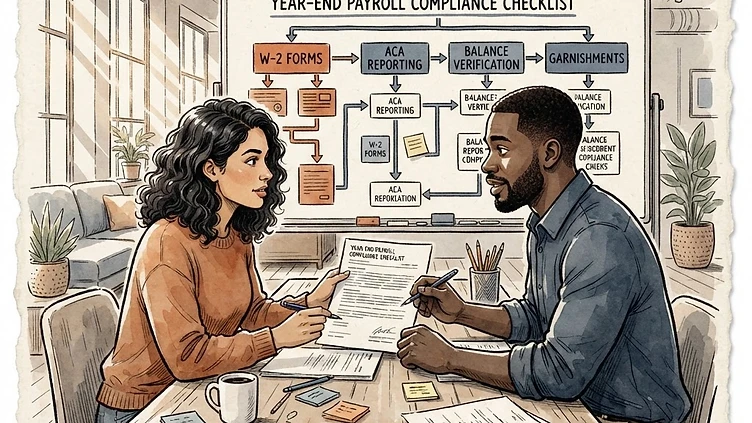
Year-end payroll compliance in Dayforce is where configuration debt comes due. Tax table updates that weren't applied, W-2 box mappings that haven't been verified, ACA measurement periods that weren't set up correctly — all of it surfaces in November and December when there's the least room for error. This Dayforce year-end payroll compliance checklist covers the tasks mid-market HR and payroll teams need to work through before the calendar flips, organized by the order they need to happen.
This checklist assumes you're running payroll in Dayforce and managing your own W-2 and ACA reporting — the most common setup for mid-market companies that went live on Dayforce in the last two to four years. If you're using a third-party payroll bureau for tax filing, the configuration and verification steps still apply; you'll just coordinate the output file delivery instead of filing directly from Dayforce.
Dayforce year-end compliance: start in October, not December
The single most preventable year-end failure is starting too late. By the time December arrives, you're in a parallel payroll run window and making changes to live payroll data under time pressure. The configuration verification and correction work should happen in October — before you're in the operational crunch.
Here's the sequencing that works:
- October: Tax table verification, W-2 box mapping audit, ACA measurement period review, balance verification sweep
- November: Test W-2 and ACA extracts against prior year, identify discrepancies, correct data issues
- December: Final payroll runs, year-end tax filing configuration locked, employee communication about W-2 delivery
- January: W-2s distributed (by January 31 deadline), ACA 1095-C forms prepared, IRS filing
What follows is the specific configuration and verification work within that framework.
Tax table and rate verification
Dayforce releases annual tax updates, but they require activation — they don't apply automatically to your tenant. Before year-end, verify that:
- The current-year federal and state tax tables are active in Dayforce HCM → Payroll → Tax Tables
- State unemployment insurance (SUI) rates for each state where you have employees have been updated to reflect any rate changes from your state's annual notice
- Local tax rates (if applicable) are current — these are the most commonly missed updates because they often arrive as separate notices rather than part of a standard Dayforce release
- FICA limits for the current year reflect the updated Social Security wage base (announced each October for the following year)
SUI rate updates are the most common gap. States issue updated rates in late Q3 or Q4, and they require a manual update in Dayforce — they're not pulled from a centralized tax service automatically. If you have employees in multiple states, run the SUI rate audit first.
W-2 box mapping audit
Need hands-on help with Year End Payroll Compliance Checklist?
Talk to our team →Verifying W-2 box configuration in Dayforce
Dayforce generates W-2s from payroll data mapped to specific boxes via the W-2 Configuration setup in Payroll → Year-End → W-2 Configuration. The box mapping tells Dayforce which pay codes, deduction codes, and earning codes populate each W-2 box. If a new pay code was added during the year and wasn't mapped, the earnings it generated won't appear in the correct W-2 box.
Run a W-2 box mapping audit by comparing your current pay code list against what's mapped in the W-2 configuration. Specifically:
- Box 1 (Wages, Tips, Other Compensation): Every taxable earning code that generates federal wages must be included. Supplemental pay codes (bonuses, commissions, special awards) that were added during the year are the most common gap here.
- Box 12 codes: HSA employer contributions (W), 401(k) deferrals (D), SIMPLE contributions (S), and similar. Each code requires a specific Box 12 indicator. If your benefits configuration changed during the year — new HSA plan, updated 401(k) deferral limits — verify the corresponding Box 12 mapping is correct.
- Box 14 (Other): State disability insurance, state family leave contributions, and certain benefits that don't have a dedicated W-2 box go here. These are often configured ad hoc and are prone to gaps when new programs are added.
Don't verify this from the W-2 configuration screen alone — pull a test W-2 extract for a sample of employees with varied pay types and cross-check the box totals against the payroll register. The configuration screen shows you what should be mapped; the extract shows you whether the data is actually flowing through correctly.
ACA reporting setup and verification
For mid-market companies subject to ACA employer shared responsibility (generally 50+ full-time equivalent employees), year-end compliance includes generating and filing 1095-C forms. The Dayforce ACA module handles this, but only if it was set up correctly and maintained throughout the year.
Measurement period configuration
The ACA measurement period determines which employees are considered full-time for coverage purposes. In Dayforce, this is configured in Benefits → ACA → Measurement Period. Before year-end, verify:
- The measurement period dates are correctly configured and match your plan documents
- Variable-hour employees who crossed the 30-hours-per-week threshold during the year have been flagged for coverage
- Stability period settings align with your insurance plan's offer window
If measurement periods weren't configured at all — which happens more often than it should when Dayforce implementations skip the ACA module setup — retroactive reconstruction is possible but requires pulling hours data from payroll records and manually determining status for each variable-hour employee. That's a November project, not a December one.
1095-C code verification
Each 1095-C requires Line 14 (offer of coverage code) and Line 16 (safe harbor code) for every month of the year. Dayforce generates these automatically from benefits enrollment and affordability data — but only if your benefit plans are configured with the correct ACA codes and your eligibility rules are accurate.
Before generating your 1095-C file, pull a pre-filing audit report from Benefits → ACA → 1095-C Audit. Look for employees with blank Line 14 or Line 16 entries, which indicate a configuration gap in either the benefit plan codes or the employee's enrollment record.
Year-end balance verification
Payroll balance verification is the sanity check that catches data errors before they hit W-2s. Run the year-to-date balance verification report in Payroll → Year-End → Balance Verification and confirm that:
- Total federal taxable wages across all employees match the sum of Box 1 values in your test W-2 extract
- Total Social Security wages don't exceed the annual wage base times the number of employees who hit the cap
- State wages for each state reconcile against the state payroll reports you've been filing quarterly
- Pre-tax deduction totals (401(k), HSA, FSA, medical premiums) match the plan year-to-date reports from your benefits carriers
Discrepancies between the payroll register and benefits carrier reports are the most common balance issue. They usually trace to mid-year enrollment changes, retroactive corrections, or new-hire setup timing. Find them in November — correcting them in December adds risk to live payroll runs.
Tax agency remittance and deposit schedule
Year-end payroll runs create larger-than-usual federal and state tax deposits due to year-end bonuses, accrued vacation payouts, and final pay adjustments. In Dayforce, verify that:
- Your federal tax deposit schedule (daily, semiweekly, or monthly) is correctly configured for the deposit amounts you'll have in the final pay periods
- State electronic funds transfer (EFT) configurations are current — banking details change and EFT setup gaps are only discovered when a deposit fails
- Any manual tax adjustments for the year (IRS notices, state tax corrections) have been recorded in Dayforce to keep the system totals in sync with actual deposits made
Employee W-2 delivery configuration
Dayforce supports electronic W-2 delivery for employees who consent to receive them digitally. Before year-end, verify your electronic consent configuration in Payroll → Year-End → Electronic W-2 Consent. Specifically:
- Employees who consented to electronic delivery are correctly flagged in the system
- The W-2 delivery portal is configured and accessible — test the employee-facing login before W-2s are available
- Paper W-2s are queued for employees who didn't consent or whose consent records are unclear — paper must be postmarked by January 31
When year-end complexity exceeds internal capacity
Most mid-market teams run year-end successfully with this checklist as a framework. Where outside help adds the most value is when you're facing a year where configuration work was deferred — a mid-year module addition that wasn't set up completely, ACA setup that was never finished, or a W-2 mapping that's been wrong for two years and you're not sure how to correct it without affecting current-year filing accuracy.
The correction work is doable, but the stakes of getting it wrong are higher than the stakes of most Dayforce configuration work. If you're heading into year-end with known gaps and aren't confident in the correction path, that's the moment to bring in someone who has done this specific work before.
We've handled Dayforce year-end remediation for mid-market companies that inherited a misconfigured implementation. If you'd like a scoped review before year-end season starts, reach out here.
Struggling with Dayforce Configuration?
Harmon & Co specializes in Dayforce consulting for mid-market companies. We fix it the first time — no endless ticket queue, no generic advice.