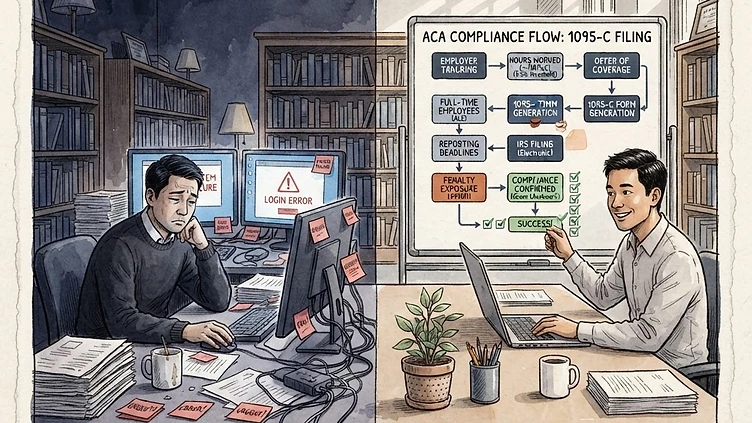
The ACA employer mandate is not optional. If your company has 50 or more full-time employees and you fail to offer affordable minimum essential coverage — or you offer coverage that doesn't meet affordability standards — the IRS assesses penalties of $2,970 per affected employee in 2025, scaling upward annually. For a mid-market company with 300 employees, a configuration error that causes an ACA violation can mean six-figure penalty exposure. The uncomfortable truth: most Dayforce customers with penalty exposure don't have a compliance intent problem. They have a Dayforce configuration problem.
What ACA penalty exposure actually means for Dayforce customers
The ACA employer mandate requires applicable large employers (ALEs) — those with 50 or more full-time equivalent employees — to offer health coverage that meets two tests: minimum value and affordability. If you fail either test and an employee receives a premium tax credit through the marketplace, the IRS can assess a penalty back to the date of the failure.
The penalty is calculated on a per-employee basis: $2,970 per employee in 2025 (rising with inflation). But it is not applied to your entire headcount — it is applied to the subset of employees who received a marketplace premium tax credit. That number depends on whether you offered coverage at all, whether coverage was affordable, and whether it met minimum value.
The part that catches most Dayforce customers off guard: the failure is measured against your coverage offer, not your intent. If your Dayforce configuration generates incorrect 1095-C codes — codes that incorrectly flag an employee as not offered coverage when they were, or that misrepresent the coverage tier — the IRS interprets that as a failure to offer coverage. The penalty follows automatically.
How Dayforce generates and files your 1095-C codes
Dayforce is the system of record for your ACA reporting. Each year, it generates Form 1095-C for every employee who was enrolled in coverage (or was offered coverage but declined). The code combinations in Part II of the 1095-C tell the IRS whether you offered coverage, what type of coverage you offered, and whether the employee enrolled.
Dayforce generates these codes based on configuration you set up at implementation: offer periods, coverage tier assignments (Employee Only, Employee + Spouse, Employee + Children, Family), affordability safe harbors, and HR eligibility rules. If any of those configurations are wrong — or if they drift from your actual benefit plan design — the codes Dayforce generates will be wrong.
The complexity is that Dayforce is computing this across your entire employee population, every month, for the entire year. One configuration error in a benefits plan rule can corrupt thousands of codes. You will not find it by spot-checking a few employees. You need a systematic audit.
Three configuration failures that trigger ACA penalties in Dayforce
Need hands-on help with Avoid ACA Penalty Exposure Mid?
Talk to our team →After working through dozens of mid-market Dayforce environments for ACA compliance, we see the same three failures most frequently:
1. Offer period misconfiguration. Dayforce tracks offer periods — the windows during which you offered coverage to each employee. If your offer period configuration doesn't align with your actual plan year, Dayforce may code employees as "offered" during months when they were not yet eligible, or may fail to generate codes for employees who should have been offered coverage. This is the single most common cause of incorrect 1095-C codes in mid-market Dayforce environments.
2. Coverage tier mismapping. The affordability safe harbor you use (Federal Poverty Line, Rate of Pay, or Form W-2 wages) requires Dayforce to know the employee cost for each coverage tier. If the tier mappings in Dayforce do not reflect your actual employee premium contributions — or if you have separate medical and dental elections that weren't consolidated in the configuration — Dayforce will calculate affordability incorrectly. The result: an employee who should be marked as offered affordable coverage gets flagged as not offered, or vice versa.
3. Part-time and variable hour employee tracking. ACA eligibility is measured across a measurement period (usually 12 months). Dayforce tracks variable hour employees and their measurement periods — but if your configuration uses the wrong measurement period length, or if new hire measurement periods were not aligned when you switched from a legacy system, Dayforce will generate incorrect codes for employees who should not have been offered coverage (or who should have been offered it earlier). For companies with significant part-time or seasonal populations, this is where the biggest dollar exposure lives.
How to audit your current Dayforce ACA setup
Before you can fix anything, you need to understand where the errors are. Here is a structured audit process you can run internally — or that a focused compliance consultant can accelerate.
Step 1: Pull the 1095-C report for the prior tax year. Export the full 1095-C report from Dayforce. Cross-reference a sample of employees against your HR records: were they offered coverage? Were they full-time or variable hour? What tier did they enroll in? Look for employees where the code doesn't match the facts.
Step 2: Check offer period configuration in the HR module. Go to Admin > Workforce Management > Benefits > Offer Periods. Verify that the offer periods match your plan year start and end dates, that they apply to the correct employee groups, and that there are no gaps or overlaps in coverage. If you had a plan year change in the last 3 years, check whether the old offer periods were properly retired.
Step 3: Verify coverage tier mappings. In the same section, check the coverage tier affordability setup. Confirm that the employee premium contribution amounts in Dayforce match your actual payroll deductions. If you use a Section 125 cafeteria plan with pre-tax deductions, the amount that appears in Dayforce should match the amount on the employee's pay stub.
Step 4: Review variable hour employee tracking. Identify all employees flagged as variable or part-time in Dayforce. For each, check the measurement period start date, the measurement period end date, and the result (resolved to full-time or ongoing variable). Verify these align with how the employee actually worked. Look for employees who crossed the full-time threshold mid-year and confirm that Dayforce updated the offer appropriately.
How to fix ACA configuration errors before they become penalties
Finding the errors is step one. Fixing them requires correcting the configuration and understanding whether you need to file a corrected 1095-C.
Correct the Dayforce configuration first. If you find offer period errors, update the offer period definition in Dayforce and re-run the ACA calculation. If tier mappings are wrong, correct the coverage tier setup. If variable hour tracking is incorrect, update the measurement period configuration. In most cases, Dayforce will regenerate the correct codes once the underlying configuration is corrected.
File corrected 1095-Cs if needed. If Dayforce generated incorrect codes and you have already filed, you may need to file Form 1095-C corrections. The IRS generally accepts corrections for up to three years. Corrections require you to know what the correct code should have been — which is why the audit step above matters. A corrected filing does not eliminate penalty exposure if the original filing was wrong, but it stops the ongoing exposure from compounding.
Determine whether you need professional support. If your audit surfaced errors in more than a handful of employees — or if you are dealing with a variable hour population above 50 employees — the dollar exposure likely justifies engaging a fixed-price compliance remediation specialist. The cost of a focused engagement is almost always less than the penalty exposure from leaving configuration errors uncorrected.
How Harmon & Co helps mid-market teams stay ACA-compliant
We work with mid-market Dayforce customers (200–5,000 employees) who have an existing Dayforce environment and need a structured ACA compliance review. Our ACA compliance services include a full configuration audit, corrected configuration, corrected 1095-C filing if needed, and documentation of your compliance posture going forward.
Most engagements complete in 4–6 weeks. We price on a fixed-scope basis — not an open-ended retainer — so you know what you are paying before we start.
If you have not reviewed your Dayforce ACA configuration since your last open enrollment, there is a reasonable chance there are errors in it. Talk to us about getting a structured audit scheduled.
Struggling with Dayforce Consulting?
Harmon & Co specializes in Dayforce consulting for mid-market companies. We fix it the first time — no endless ticket queue, no generic advice.