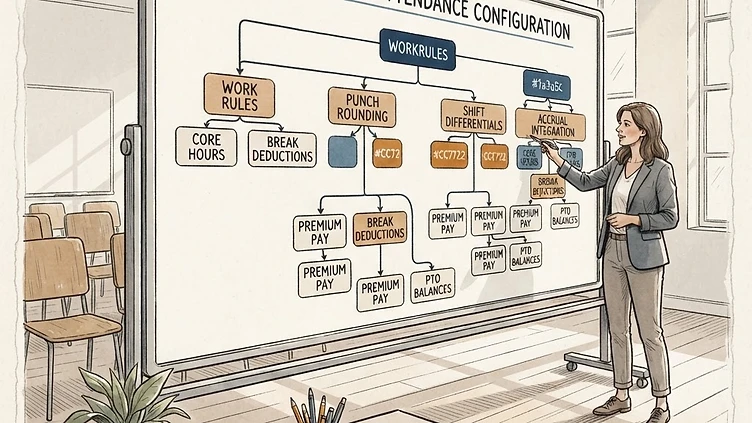
Dayforce time and attendance configuration sits at the intersection of HR policy, payroll calculation, and labor law compliance — which means every misconfiguration has three places it can cause problems. Most mid-market implementations configure the basics well enough to get through go-live, then spend the next year dealing with overtime calculation errors, shift differential disputes, and accrual discrepancies that trace back to design decisions made without understanding their downstream effects. This guide covers Dayforce time and attendance configuration in the depth that prevents those problems: how work rules actually work, where compliance exposure hides in punch rounding, how shift differentials are calculated, and where accruals go wrong.

Work rule setup: the four components

Work rules are the core configuration object in Dayforce T&A. Every time entry is processed through a work rule, which determines how punches are interpreted and what pay codes result. A work rule has four interdependent components: Pay Policy, Shift, Schedule, and Work Assignment. Getting any one of them wrong affects how hours are classified and how pay is calculated.

Pay Policy

The Pay Policy defines the overtime calculation rules that apply to an employee — daily overtime thresholds, weekly overtime thresholds, and the sequence in which premium calculations are applied. In California, daily overtime applies after 8 hours (1.5x) and after 12 hours (2x), and seventh-day overtime rules apply independently of the weekly total. Outside California, most employers apply only the federal 40-hour weekly threshold.

A Pay Policy is not "one per state." It's one per combination of overtime rules, and there are more combinations than most HR teams realize: salaried non-exempt employees may have different overtime thresholds than hourly non-exempt, union employees may have collectively bargained overtime rules that differ from statutory, and employees who work in multiple states within a week need Pay Policies that handle multi-state overtime correctly. Document every distinct combination of overtime rules before building Pay Policies.

Shift

The Shift component defines the expected start and end time for a work period, the grace period before a punch is considered late or early, and the paid/unpaid status of meal breaks. Shift configuration is where the punch rounding rules live — see the next section for why this is your highest compliance risk in T&A.

One important detail: the Shift component does not drive scheduling. It defines the template that punch rounding and exception alerting reference. Actual schedule assignments happen through the Schedule component. If your Shift and Schedule are out of sync — different start times, different break durations — exception reports will generate false alerts and real alerts will be buried in noise.

Schedule

The Schedule component defines the actual expected work pattern for an employee: which days they work, what hours they're expected to start and end, and how their expected weekly hours are distributed. The Schedule drives absence detection (if someone is expected at 8am and doesn't punch, the system generates an unplanned absence), overtime projections, and schedule-based shift differential triggers.

For organizations with variable scheduling, the Schedule component is the most complex to maintain. Variable schedules require either manual schedule input each period or integration with a scheduling system that pushes schedule data to Dayforce ahead of each work week. Implementations that don't plan for variable schedule maintenance end up with schedules that don't match reality — which makes every exception report meaningless.

Work Assignment

The Work Assignment links an employee to a specific work rule combination, effective-dated to when it applies. An employee who moves from a day shift to a night shift needs a new Work Assignment effective-dated to the start of the new shift — not a change to the underlying Shift or Pay Policy objects, which might be shared with hundreds of other employees.

The most common Work Assignment mistake in mid-market implementations: treating Work Assignment as a one-time setup rather than an ongoing maintenance process. Every time an employee's overtime rules, schedule, or shift differential eligibility changes, their Work Assignment needs to be updated. If that maintenance process isn't defined and owned, Work Assignments drift from reality within six months of go-live.

Punch rounding vs. actual time: the compliance risk most companies miss

Punch rounding is one of the most consequential T&A configuration decisions, and it's the one that generates wage and hour liability when it's configured incorrectly or without documented policy basis.

Dayforce supports several rounding approaches:

  • Nearest increment rounding: Punches are rounded to the nearest defined interval (5, 6, 10, or 15 minutes). A punch at 8:07 on a 15-minute rounding schedule rounds to 8:00; a punch at 8:08 rounds to 8:15.
  • Schedule-based rounding: Punches within a defined window of the scheduled start or end time are rounded to the scheduled time. Punches outside the window are recorded as actual time.
  • Actual time (no rounding): Every punch is recorded at the exact clock time.

The legal requirement for any rounding approach is that it must be neutral over time — it cannot systematically round in the employer's favor. The Department of Labor's standard is that rounding is permissible if, over time, it averages out to actual hours worked. If your rounding approach consistently rounds start-of-day punches down (in employer's favor) and end-of-day punches up (also in employer's favor), it's not neutral, and it's wage theft under the FLSA regardless of whether it's unintentional.

The safer approach for most mid-market employers: schedule-based rounding with a tight window (5 minutes either side), and actual time for any punch outside the window. This captures the operational benefit (timesheets aren't fragmented by 2-minute early punches) without the neutrality risk of nearest-increment rounding applied across all punches.

Whatever rounding approach you configure, document it and confirm with employment counsel that it's compliant in every state where you have employees. California restricts punch rounding more than federal law — if you have California employees and a rounding configuration that was designed for a non-California workforce, you have a compliance gap.

Rounding configurations set at go-live are rarely reviewed post-launch

Most T&A rounding configurations are set during implementation and never revisited. But if your workforce has changed — new states, new shift patterns, hourly workers added to a previously salaried population — the rounding rules that were compliant for your original setup may not be compliant for your current setup. If your Dayforce T&A configuration is more than 18 months old and your workforce has materially changed, a rounding compliance review is worth doing before someone else asks you to do it. Contact us if you want a second opinion.

Shift differential configuration and the order-of-operations problem

Need hands-on help with Time and Attendance Configuration Mid?

Talk to our team →

Shift differentials in Dayforce can be configured as premium pay codes that trigger based on time-of-day rules, schedule assignments, or a combination of both. The configuration is straightforward for simple differentials (all hours between 6pm and 10pm earn $1.50 extra). It becomes complex when differentials interact with overtime, when multiple differentials can apply simultaneously, or when the differential calculation basis is the employee's base rate rather than a flat dollar amount.

The order-of-operations problem: Dayforce processes pay code premiums in a defined sequence, and if your shift differential premium is applied before overtime is calculated rather than after, the base for overtime calculation is wrong. Overtime under the FLSA must be calculated on the "regular rate of pay," which includes shift differentials. If your Dayforce configuration applies the 1.5x overtime multiplier to the base hourly rate only, then adds the differential separately, you're underpaying overtime.

Specifically, watch for this pattern in your Pay Policy configuration:

  • Employee earns $20/hr base rate
  • Employee earns a $2/hr night differential
  • Employee works 45 hours in a week on night shift
  • Correct calculation: regular rate = ($20 + $2) = $22/hr; overtime premium = $22 × 0.5 × 5 hours = $55
  • Incorrect calculation: overtime premium = $20 × 0.5 × 5 hours = $50, plus $2 × 5 hours differential = $10 (total $60 but with the wrong logic)

The total in this example might coincidentally be correct, but the underlying calculation method matters for employees with variable hours or multiple differentials. Verify that your Pay Policy is computing the regular rate of pay correctly before assuming your overtime calculations are right.

Accrual policy setup and integration with leave management

Accrual policies in Dayforce T&A define how leave balances accumulate: per-period accrual amounts, accrual frequency (each pay period, weekly, monthly), waiting periods before accruals begin, and balance caps. The configuration lives in Workforce Management > Time Away from Work > Accrual Policies.

The integration errors most common in mid-market setups:

Accrual and leave plan misalignment. In Dayforce, accruals (which define balance accumulation) and leave plans (which define how balances are used and what request types are available) are separate configuration objects that must be linked correctly. An accrual policy that's not linked to the correct leave plan means employees accrue balance they can't see or use, or can use balance they haven't accrued yet. Verify the linkage explicitly — don't assume it was set up correctly during the build.

Carryover configuration errors. Annual carryover rules in Dayforce have four settings: carry all unused balance, carry up to a cap, carry none, and carry with a payout. If carryover is configured as "carry all" when policy is "carry up to 40 hours," employees see incorrect balances at the start of the new accrual year, and correcting it requires manual balance adjustments after the fact. Audit carryover settings before the end of each accrual year.

Retroactive hire date adjustments without balance recalculation. When an employee's hire date is corrected in Dayforce (a common data quality fix post-migration), the accrual balance doesn't automatically recalculate. If the corrected hire date means the employee accrued more (or less) than their current balance reflects, a manual balance adjustment is required. If your implementation involved a data migration with uncertain hire date accuracy, run an accrual balance audit against your policy rules three months post-go-live.

Schedule enforcement and exception alerting without supervisor alert fatigue

Exception alerting in Dayforce T&A is configured through Exception Rules that define triggering conditions (late punch, missed punch, overtime threshold, unplanned absence) and delivery settings (which managers receive alerts, at what threshold, through which channel). Properly configured, exception alerting surfaces the attendance problems that need management attention. Poorly configured, it generates so many alerts that supervisors start ignoring all of them — which is worse than no alerting at all.

Alert fatigue prevention requires two configuration choices:

Threshold tuning: An overtime alert that fires when an employee hits 39 hours generates noise without actionable lead time. An overtime alert at 35 hours gives supervisors the ability to act before the overtime occurs. An absence alert that fires for a 5-minute late punch on a schedule with known traffic variability generates daily noise. Review your alert thresholds against your actual workforce patterns, not against what seemed reasonable during the implementation.

Alert routing specificity: Alerts routed to every manager in the chain — direct supervisor, department manager, HR partner — create duplicate response and unclear accountability. Define one recipient per alert type per situation. The direct supervisor owns attendance. HR owns escalations. Don't CC everyone on every alert and expect anyone to act.

The most common T&A configuration mistakes in mid-market go-lives

In the Dayforce T&A implementations we've reviewed and remediated, the same mistakes recur:

Work Assignment effective dates set to the future while employees are actively working. During a migration, Work Assignments are often set with an effective date of the go-live date. If a payroll runs before that date using the new system (as sometimes happens in parallel testing), the Work Assignment isn't active yet and hours process incorrectly.

Schedule-based accruals that don't account for part-time employees. If your accrual policy is configured to accrue based on scheduled hours rather than actual hours worked, part-time employees on flexible schedules may accrue at the wrong rate. Verify accrual calculation basis against your policy intent for every employee population.

Leave plan effective dates that don't align with the benefit plan year. If your leave plan year starts January 1 and your accrual policy was created with an October 1 effective date, the carryover calculation at year-end may not work correctly. Audit effective dates on all leave-related configuration objects before year-end.

Exception rules that fire on punches before the schedule starts. Some implementations configure exception rules that alert on early punches — which is useful for overtime management. But "early punch" rules that trigger before the schedule window begins create false alerts for employees who arrive early by design (shift leads, supervisors). Add a buffer to the schedule window or route early-punch alerts to a payroll-only inbox rather than direct supervisors.

If your Dayforce T&A configuration is generating payroll discrepancies, compliance questions, or supervisor complaints, the root cause is almost always in one of the four areas above. We audit T&A configuration as part of our broader Dayforce health check engagements — reach out if you want to talk about what a targeted review looks like for your setup.

Need help with Dayforce time and attendance configuration?

We audit and remediate Dayforce T&A configurations for mid-market companies — from work rule design to punch rounding compliance to accrual policy alignment. Fixed-scope engagements, direct deliverables.

Book a Free Consultation → See Our Services →
Need help with this?

Struggling with Dayforce Configuration?

Harmon & Co specializes in Dayforce consulting for mid-market companies. We fix it the first time — no endless ticket queue, no generic advice.

Book a Free Consultation See Our Services →