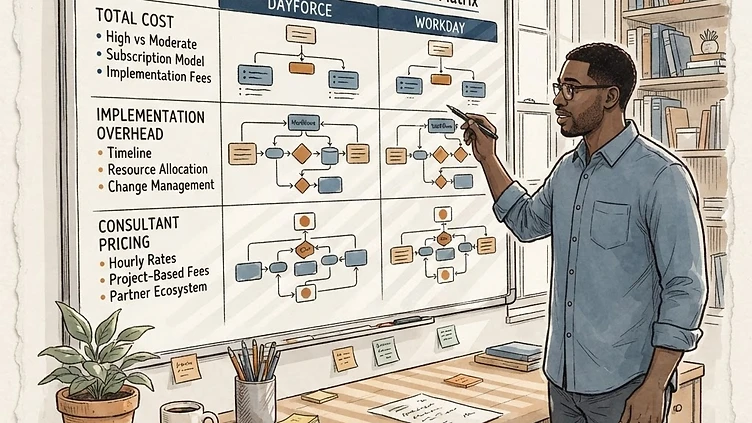
The Dayforce vs Workday question comes up in almost every mid-market HCM evaluation. Both platforms are enterprise-grade, both are cloud-native, and both promise to consolidate HR, payroll, time management, and workforce analytics into a single system. But they were built for different organizational profiles — and for companies in the 200–5,000 employee range, that distinction has real consequences for total cost, implementation timelines, and whether the system actually does what you need it to do on day one of production payroll.
This comparison is focused on mid-market buyers. If you're a 50,000-employee enterprise with a dedicated HRIS team and a multi-year digital transformation budget, Workday is a serious option. If you're a 500-person distribution company that needs payroll to run correctly on Friday, you're reading the right comparison.
Architecture: what "unified" actually means
Both Dayforce and Workday use the word "unified" in their positioning. The architectures behind that word are different in ways that matter at implementation time.
Dayforce (formerly Ceridian Dayforce) is built on a single-database architecture. Employee data, time punches, payroll calculations, and schedule data all live in one data store. When an employee clocks in, the time record is immediately available to payroll. When a pay rate changes, it propagates in real time across time management and reporting. There is no overnight batch job moving data between modules. The payroll engine runs continuously — you can see a live preview of what gross pay would be right now, at any point in the pay period.
Workday is also a unified cloud platform, but its architecture evolved from a financial management system that expanded into HR. The HCM and payroll modules share a common object model, but integrations between Time Tracking, Absence, and payroll rely on a business process framework that, in practice, requires more configuration to achieve the same real-time visibility Dayforce provides natively. For companies where real-time payroll preview matters — shift-heavy workforces, high hourly headcount, overtime-intensive operations — this is a meaningful difference.
Payroll depth and compliance coverage
This is where the comparison diverges most sharply for mid-market buyers.
Dayforce payroll is one of the most mature native payroll engines in the market. Built-in coverage across all 50 U.S. states and all Canadian provinces. The continuous calculation model means payroll processing isn't a batch event — it's a live calculation that the payroll team can audit throughout the pay period rather than scrambling at the close. For companies that have experienced payroll errors under their current system, this architecture is the most meaningful difference Dayforce offers.
Workday payroll is capable but has historically been its weakest module relative to the competition. The platform was designed HR-first; payroll was added later and went through several iterations to reach enterprise reliability. U.S. payroll is solid at this point, but Workday's global payroll strategy relies heavily on third-party payroll providers (ADP, CloudPay, and others) through integration — which is a viable approach but adds cost and integration complexity. Mid-market companies that prioritize payroll correctness above all else consistently favor Dayforce in head-to-head evaluations.
The Forrester ROI data: 176% over three years
Forrester's Total Economic Impact study of Dayforce found a 176% three-year ROI for organizations that replaced legacy HCM systems with Dayforce. The benefits were primarily driven by reduced payroll processing time, eliminated manual reconciliation between disconnected systems, and reduced compliance error costs — all of which disproportionately affect mid-market companies that lack the HRIS staff to absorb systemic inefficiencies. If your payroll team spends hours each cycle reconciling time exports and correcting errors, this ROI figure is directionally accurate for your situation.
Implementation: scope, timeline, and what you're buying
Mid-market HCM implementations are where the Dayforce vs Workday comparison gets most concrete — and where the total cost of ownership diverges most significantly.
Workday implementation reality for mid-market
Workday's implementation methodology was developed for large enterprise buyers. The platform's configurability is genuine — you can model almost any org structure, business process, or compensation framework — but that configurability comes with complexity. A typical mid-market Workday HCM implementation runs 9–14 months and requires a certified implementation partner (Workday maintains a small, tightly controlled partner ecosystem). Implementation costs for a 500-employee company commonly run $400,000–$700,000 before internal resource time. For a 2,000-employee company, that figure climbs to $1M–$2M+.
The challenge for mid-market buyers: Workday's implementation partners are optimized for enterprise clients. A 500-employee company often gets a junior-heavy project team while the experienced resources are on the 20,000-employee global deployment in the next room. This creates quality variation that mid-market buyers are poorly positioned to manage, because they don't have a 5-person HRIS team to catch configuration errors before go-live.
Need hands-on help with Dayforce?
Talk to our team →Dayforce implementation for mid-market
Dayforce's implementation ecosystem includes more mid-market-focused partners, and the platform's single-database architecture reduces the integration testing surface area compared to multi-module platforms that need to pass data across system boundaries. A typical 500-employee Dayforce implementation runs 5–9 months, with total implementation costs commonly in the $150,000–$350,000 range for mid-market. That's a meaningful difference.
The caveat: "implementation" is not a commodity. A mid-market Dayforce implementation done by an inexperienced or generalist team produces the same outcome as any enterprise HCM done wrong — a system that runs but isn't configured correctly, requiring expensive post-go-live remediation. The implementation quality question matters as much as the platform choice.
Total cost of ownership: the full picture
Software licensing comparisons are easy to get wrong because both vendors discount substantially from list price in competitive evaluations. The variables that matter more for mid-market buyers:
| Cost Component | Dayforce | Workday | |---|---|---| | Base license (PEPM) | $18–$30 | $25–$45 | | Implementation (500 EEs) | $150K–$350K | $400K–$700K | | Implementation (2,000 EEs) | $400K–$700K | $1M–$2M+ | | Annual support / maintenance | 18–22% of ACV | 20–25% of ACV | | Internal HRIS staffing needed | 1–2 FTE | 2–4 FTE | | Payroll outsourcing add-on | Not required | Often required for non-US |
The table above captures direct costs. The hidden costs that distort mid-market Workday evaluations are less visible: Workday's tightly controlled partner ecosystem means smaller organizations pay enterprise-partner rates regardless of deal size; post-go-live configuration changes frequently require a certified partner engagement rather than an internal admin; and the business-process-framework model generates ongoing configuration tickets that accumulate into a recurring support cost that doesn't appear in the original license quote.
The total cost picture for a 500-employee mid-market company over three years: Dayforce commonly delivers 30–40% lower total cost than Workday — not because the software is cheaper, but because implementation is faster, the system requires fewer internal staff to maintain, and payroll runs natively without third-party add-ons.
Where Dayforce wins for mid-market
- Payroll depth. Continuous calculation, native tax engine, single-database real-time visibility.
- Implementation speed. 5–9 months vs 9–14 months for a comparable scope.
- Total cost. 30–40% lower over three years for a 500-employee company.
- Mid-market partner ecosystem. More partners focused on mid-market, less enterprise-rate friction.
- Internal staffing. 1–2 FTE vs 2–4 FTE required to maintain the system.
Where Workday wins
- Talent management. Recruiting, performance, learning, and career development are more mature.
- Global operations. Multi-country, multi-currency, multi-language at enterprise scale.
- Analytics. Workday Prism and cross-domain reporting without technical support.
- Enterprise brand. Board-level confidence and the "nobody got fired for buying" factor.
The bottom line for mid-market buyers
For companies in the 200–5,000 employee range, Dayforce is the stronger choice in most head-to-head evaluations. The payroll depth, implementation speed, and total cost of ownership advantages are structural — they come from the platform's architecture, not from a competitive deal. Workday is the right choice for companies scaling past 5,000 employees, companies with complex global operations, or companies where talent management is the primary HCM driver.
If you're mid-market and evaluating both platforms, the highest-leverage action is talking to someone who has implemented both — not a sales rep, but someone who has been in the trenches.
Struggling with Dayforce Consulting?
Harmon & Co specializes in Dayforce consulting for mid-market companies. We fix it the first time — no endless ticket queue, no generic advice.