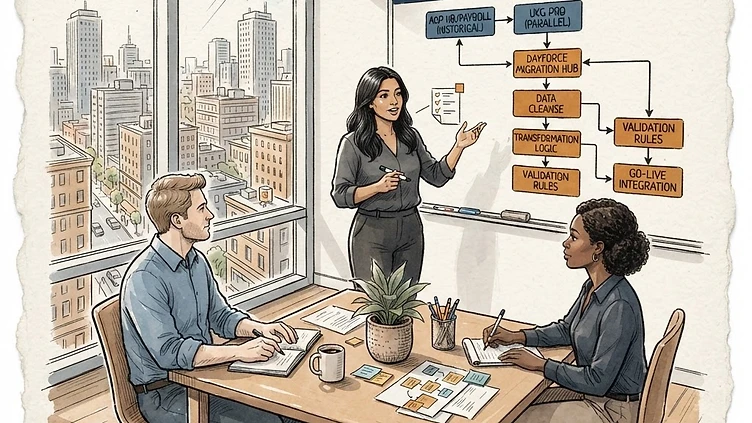
Dayforce data migration from ADP or UKG is the phase of an implementation that most mid-market companies underestimate until they're in it. The technical work of moving employee records, pay history, and configuration data from a legacy system into Dayforce is where timelines slip, where go-live dates move, and where data quality problems get locked into the new system before anyone has time to fix them. The failure modes are well-documented — they happen on almost every migration of this type — but they're still consistently underestimated because they look like execution problems until you've seen enough of them to recognize them as design problems.

Why ADP-to-Dayforce and UKG-to-Dayforce migrations are different from each other

Both migrations are complex, but they have different failure profiles. Understanding which system you're migrating from shapes which risks need the most attention.

ADP migrations — whether from ADP Workforce Now, ADP Enterprise, or one of the earlier platform versions — tend to have data completeness problems. ADP's data export tools are not designed for migration; they're designed for reporting. Exporting a complete employee record including historical position changes, historical compensation records, and complete pay history requires pulling from multiple modules and joining data that ADP doesn't necessarily store in a portable format. The result is that ADP migrations frequently arrive at the Dayforce data load with gaps in historical data that the company assumed would transfer automatically.

UKG migrations — from UKG Pro (formerly UltiPro) or UKG Ready (formerly Kronos Workforce Ready) — tend to have data structure problems. UKG's data model is more normalized than ADP's, which should make migrations cleaner, but the field-level mapping between UKG and Dayforce often requires transformation logic that isn't obvious from a surface-level field comparison. Pay code mapping, position hierarchy translation, and time and attendance rule conversion are all places where UKG-to-Dayforce migrations get stuck in the mapping design phase.

Data mapping: the most underestimated phase

Data mapping is the process of defining, for each field in the source system, what Dayforce field it populates and what transformation (if any) is required. It sounds like a straightforward documentation exercise. It is not.

The field mapping document is a discovery tool, not a deliverable

Most implementation teams treat the data mapping spreadsheet as a deliverable — something to produce and sign off on so the project can move to the next phase. The better mental model is that the data mapping document is a discovery process. Every row that doesn't have a clean 1:1 equivalent in Dayforce is a decision that needs to be made, and every decision is an opportunity for the system to be configured incorrectly.

The mapping decisions that cause the most downstream problems in Dayforce data migration projects:

  • Pay code consolidation. ADP and UKG tenants accumulate pay codes over years — many companies have 40-80 active pay codes in their legacy system, many of which are historical relics or near-duplicates. Migrating all of them into Dayforce creates ongoing payroll complexity. Consolidating them requires understanding which codes are still in active use and which ones affect historical pay data that needs to stay accurate.
  • Position hierarchy translation. Dayforce's position hierarchy (Organization, Location, Department, Job, Position) may not map cleanly to how your source system structured organizational data. Companies migrating from ADP Workforce Now often have a flat department structure that needs to be translated into Dayforce's multi-level hierarchy — which requires decisions about organizational structure, not just data conversion.
  • Employment status codes. Every HRIS has a different set of employment status codes and different rules for when they apply. Mapping source system statuses to Dayforce statuses seems simple until you hit the edge cases: employees on leave who have one status in ADP and need two records in Dayforce, contractors who are in the source system for payroll purposes but shouldn't be in Dayforce as employees, part-time employees whose status affects ACA reporting.

Historical data: decide early what you're migrating

Need hands-on help with Data Migration from ADP UKG?

Talk to our team →

A key decision that must be made before the migration starts: how much historical data are you migrating, and at what level of detail?

The options range from full historical migration (every paycheck, every position change, every benefit enrollment back to day one of the company) to a snapshot migration (current state only, with the legacy system accessible for historical lookups). Most mid-market companies land somewhere in the middle — typically 2-3 years of payroll history, current-state benefits and position data, and a legacy system read-only access for older records.

The decision has real consequences:

  • Full historical migration significantly extends the migration timeline and increases the risk of data quality problems in older records. It's usually only justified for companies with compliance requirements that mandate keeping historical data in an active system.
  • Snapshot migration is faster and cleaner, but means your HR team will be running two systems in parallel for historical lookups for 2-3 years after go-live — until the legacy system is decommissioned and historical records are either archived or migrated.
  • Selective historical migration (the most common approach) requires clear decisions about cutoff dates and which modules carry history. Payroll history is typically the highest priority; time and attendance history is often the least critical.

Parallel payroll runs: the phase that tells you if the migration worked

A parallel payroll run means processing the same payroll period in both the legacy system and Dayforce and comparing the outputs. It's the most reliable test of whether the migration and configuration work is correct — and it's the phase where problems that weren't visible in data review become impossible to ignore.

How to structure a parallel run

Run at least two parallel cycles before decommissioning the legacy system. The first parallel run will surface the obvious problems: pay codes that didn't map correctly, employees who are missing from the Dayforce payroll, calculation differences in overtime or shift differential. The second parallel run verifies that the corrections from the first run didn't introduce new discrepancies.

For ADP migrations, expect discrepancies in state tax calculations — Dayforce and ADP use different tax calculation engines and the rounding differences are small but real. Document them and confirm they're within acceptable tolerance rather than trying to eliminate them entirely (they often can't be).

For UKG migrations, the most common parallel run discrepancy is in time and attendance pay calculations — shift differentials, round-to-schedule rules, and overtime calculation sequences behave differently between UKG and Dayforce. Identify every pay rule in UKG that depends on time data and verify each one produces the same result in Dayforce before signing off on the migration.

What a parallel run doesn't tell you

Parallel runs verify that current-period payroll calculations match. They don't verify that year-to-date totals are correct, that historical data loaded accurately, or that edge cases (employees on leave, employees who changed pay groups mid-year, employees with garnishments) are handled correctly. Those require separate validation work — typically a prior-year W-2 reconciliation and an audit of any employee whose payroll history includes a mid-year change.

The mistakes that lock data quality problems into Dayforce

A few patterns that turn correctable migration problems into permanent ones:

Going live before parallel runs are complete. The pressure to hit the go-live date is real, but going live with unresolved parallel run discrepancies means running your first live payroll cycle with known errors. Some of those errors will require retroactive corrections that are significantly more complex than fixing them before go-live.

Migrating all the source system's data without cleaning it first. Legacy HRIS data accumulates quality problems over years — terminated employees with incomplete records, position titles that were never updated, pay rates that reflect manual workarounds rather than actual pay. Migrating that data directly into Dayforce brings those problems into the new system. The migration is a window to clean the data; if you skip the cleanup, the problems move with you.

Not documenting migration decisions. The decision log from a data migration — what was consolidated, what was excluded, why certain fields were mapped the way they were — is institutional knowledge that becomes critical 18 months later when someone asks why a particular pay code behaves the way it does. Migrations that don't produce decision documentation produce a Dayforce environment that nobody can fully explain.

When to bring in outside help

Migration projects that run into trouble usually do so in one of two places: the data mapping phase (decisions that require more Dayforce knowledge than the implementation team has) or the parallel run phase (discrepancies that require deep familiarity with both the source system's calculation logic and Dayforce's). Both are places where a consultant who has done this specific migration type — ADP to Dayforce or UKG to Dayforce — can compress a weeks-long troubleshooting cycle into days.

If you're heading into a Dayforce migration and want a scoped review of your data mapping strategy before the project starts, or if you're in a parallel run that's producing discrepancies you can't resolve, let's talk. We've also written about what to expect from independent Dayforce consultants and the post go-live optimization work that follows a migration.

Need help with this?

Struggling with Dayforce Implementation?

Harmon & Co specializes in Dayforce consulting for mid-market companies. We fix it the first time — no endless ticket queue, no generic advice.

Book a Free Consultation See Our Services →