Most mid-market companies don't call a Dayforce consultant the moment something breaks. They call when the problem has been simmering for months — sometimes years — and the workarounds have become unsustainable. The question isn't whether you eventually need external Dayforce expertise. It's whether you recognize the warning signs early enough to fix the root cause before it compounds into something that affects employee pay, compliance, or your team's credibility.
We've worked with hundreds of mid-market Dayforce customers, and the pattern is remarkably consistent. Companies that hire a Dayforce consultant early spend less, resolve faster, and avoid the cascading failures that come from letting configuration issues compound. Companies that wait spend more, take longer, and often arrive at the engagement with lower trust and higher urgency — a combination that makes every project harder.
Here are the seven warning signs that tell you it's time to bring in a Dayforce consultant — not next quarter, not after the next payroll cycle, but now.
1. Your payroll team runs manual reconciliations every cycle
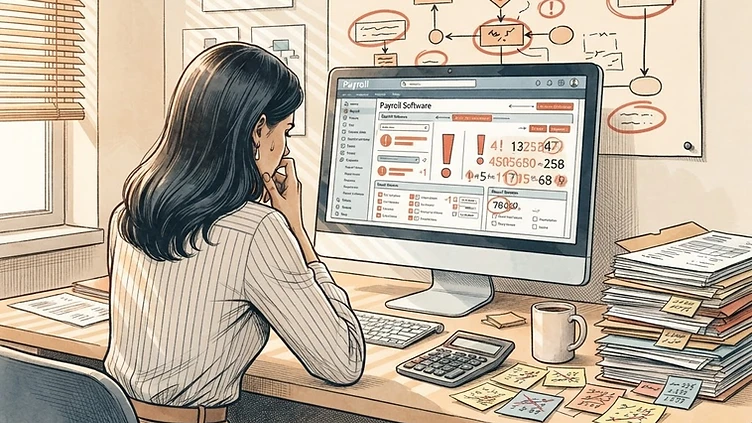
When Dayforce is configured correctly, payroll should close with confidence. When it isn't, your team builds a shadow system: spreadsheets that cross-check Dayforce outputs, manual entries that correct what the system got wrong, and a tribal knowledge base of "things we always have to fix."
A cycle or two of manual reconciliation is a workaround. Six months of it is a system configuration problem. Common culprits include earnings and deduction code mappings that were set up incorrectly at go-live, pay group rules that don't match your actual labor model, and overtime calculation logic that hasn't been updated after organizational or regulatory changes.
If your payroll administrator's monthly routine includes exporting Dayforce data to Excel, fixing calculations, and re-importing — you need a Dayforce consultant. That workflow is not a process improvement opportunity. It's a symptom of a configuration gap that will eventually produce a payroll error you can't catch in time.
2. Dayforce support tickets close without resolution
This is the most common complaint we hear from HRIS managers. You submit a ticket to Dayforce support. Days pass. The response tells you the behavior is "working as designed" or recommends you engage Dayforce Professional Services. The ticket closes. The problem persists.
This isn't a failure of the support agent — it's a structural limitation of what Dayforce support is designed to do. Support determines whether your issue is a product defect (escalated to engineering), a configuration question (answered with documentation), or something that requires professional services (which they'll recommend you purchase). Support does not configure your system, build integrations, or sit with your team during payroll cycles.
When the same issue generates three or more support tickets over six months without resolution, the root cause is almost always configuration — and configuration is not something support fixes. You need a Dayforce consultant who can diagnose and resolve the underlying issue. For a full breakdown of the structural difference, read our guide on Dayforce consultant vs. Dayforce support.
3. Your integrations fail silently
Benefits carrier feeds, 401(k) provider exports, background check triggers, general ledger exports — these are the integrations that run on a schedule and quietly touch employee financial data. When they work, nobody notices. When they fail or send corrupt data, you find out weeks later when an employee is missing from their benefits plan or a contribution didn't post.
If your team can't answer the question "did all our integrations run successfully last night?" with confidence, you have an integration monitoring gap. A Dayforce consultant can audit your integration landscape, establish monitoring, and fix the ones that are silently failing. The cost of an undetected integration failure — a missed benefits enrollment, an incorrect 401(k) contribution, a GL entry that doesn't reconcile — is almost always higher than the cost of the consultant who would have caught it.
Common integration failure patterns we see in mid-market Dayforce environments: file format changes from the receiving vendor that weren't communicated, employee record edge cases that weren't in the original test dataset, and incremental field additions over time that outgrew the original mapping.
4. You're running workarounds for things that should be automated
Dayforce is designed to automate HR and payroll processes. When your team is manually entering data that should flow from one module to another, manually triggering workflows that should fire automatically, or manually calculating values that the system should compute — the system is not working as intended.
This often happens after organizational changes that weren't reflected in Dayforce configuration: a new department structure, a change in approval routing, a new earning type, a revised leave policy. The system was configured for how the company operated at go-live, and nobody updated the configuration when the business changed.
Need hands-on help with Dayforce?
Talk to our team →A Dayforce consultant can audit your current configuration against your current business processes, identify the gaps, and reconfigure the system to match reality. This is typically a fixed-scope engagement with a clear deliverable: a system that automates what your team is currently doing manually.
5. You've had the same unresolved payroll calculation error for more than two cycles
Payroll calculation errors that persist across cycles are almost never data entry mistakes. They're configuration issues — an earning code mapped to the wrong pay group, a tax jurisdiction assigned incorrectly, a deduction calculation method that doesn't match the plan document, an FLSA classification that doesn't reflect the employee's actual work pattern.
If your payroll team has been manually correcting the same type of error for two or more consecutive pay cycles, the root cause is configuration. Every manual correction is a risk: it can be applied inconsistently, it can miss employees who have the same issue but haven't surfaced it yet, and it creates a dependency on the one person who knows how to apply the workaround.
A Dayforce consultant who specializes in Payroll can trace the calculation through the configuration, identify the root cause, fix it, and validate the fix across a parallel payroll run before the next live cycle. Our guide on Dayforce payroll tax configuration errors covers the most common tax-related configuration failures we resolve.
6. Your team has stopped trusting the reports
When HR leaders, department managers, or finance partners say they don't trust the Dayforce reports, the problem is rarely the report builder. It's usually one of two things: the report was built incorrectly (wrong data objects, wrong filters, wrong join logic), or the underlying configuration is producing data that doesn't match expectations.
Either way, the result is the same: your team exports data to Excel, manually manipulates it, and uses that as their source of truth instead of Dayforce. This creates a parallel reporting system that is fragile, inconsistent, and impossible to audit.
A Dayforce consultant who specializes in reporting can rebuild your critical reports on the correct data objects, with proper filters and calculated fields, and schedule them for automated delivery. More importantly, they can identify whether the data discrepancy is a reporting issue or a configuration issue — because a well-built report on a misconfigured system will still produce wrong numbers. See our Dayforce custom report builder tips for how this work typically unfolds.
7. You're approaching a critical deadline without internal expertise
ACA reporting deadlines, year-end processing, open enrollment windows, state-specific leave law changes, a new module go-live — these are events with hard deadlines and high stakes. If you're approaching one of these milestones and your internal team doesn't have the depth to handle it confidently, you need a Dayforce consultant.
The cost of engaging a consultant before a critical deadline is always lower than the cost of engaging one after a deadline is missed. A missed ACA filing means penalty exposure. A botched open enrollment means employees without coverage. A failed year-end means amended returns and employee distrust. A Dayforce consultant who comes in before the deadline can prevent these outcomes; one who comes in after is doing damage control.
What to do if you recognize these signs
If two or more of these warning signs sound familiar, the next step is not to submit another support ticket or build another spreadsheet workaround. The next step is to engage a Dayforce consultant who can diagnose the root cause, scope the fix, and give you a clear path forward.
For a comprehensive overview of what a Dayforce consultant does and how the engagement works, read our Dayforce consultant guide. For practical guidance on evaluating and selecting the right consultant, read our mid-market buyer's guide to hiring a Dayforce consultant. And for a deeper look at how consulting engagements are priced, see our guide on what independent Dayforce implementation consultants cost.
The companies that fix Dayforce problems early spend less, resolve faster, and maintain trust in their system. The companies that wait spend more, take longer, and often arrive at the engagement with lower morale and higher urgency. If you're seeing these signs, now is the right time to act.
Struggling with Dayforce Consulting?
Harmon & Co specializes in Dayforce consulting for mid-market companies. We fix it the first time — no endless ticket queue, no generic advice.