Most Dayforce training doesn't stick. Go-live training happens once, covers the basics, uses a generic sandbox, and six months later your team is back to workarounds and support tickets. The problem isn't that Dayforce is hard to learn — it's that generic training doesn't match how your team actually uses your configured system.
This guide covers why Dayforce admin training fails, what role-based training looks like, and how to build internal capability that lasts.
Why most Dayforce training doesn't stick
- Generic content. Vendor or partner training uses out-of-the-box examples, not your configured forms, workflows, and reports. People can't map what they learned to what they see.
- One-and-done. Training happens at go-live when everyone is overwhelmed. By the time they need the skills, the training is a distant memory.
- Wrong audience. Everyone gets the same session. Admins need depth; end users need focused workflows. Mixing them serves neither.
- No documentation. Training without job aids means every question becomes a support ticket.
- No practice environment. People trained on a sandbox they can't touch after class forget everything within weeks.
What good Dayforce admin training looks like
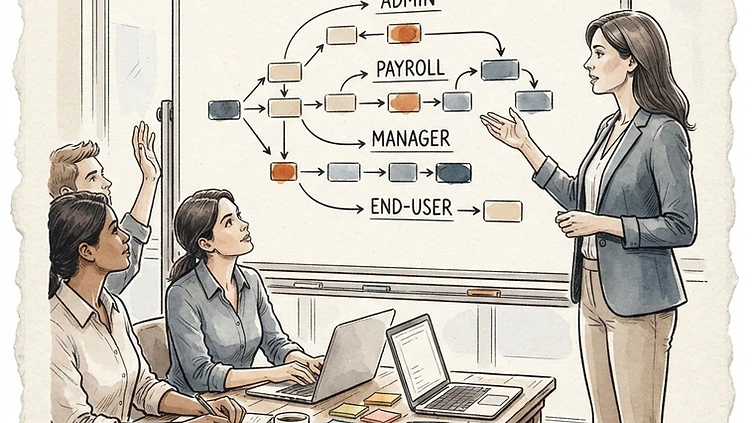
- Role-based. Separate tracks for HR admins, payroll admins, managers, and end users — each focused on the workflows that role actually performs.
- On your configured system. Training against your real forms, reports, and workflows — not a generic demo environment.
- Hands-on. People do the work during training, in a safe practice instance, with real scenarios from your org.
- Documented. Every workflow covered comes with a job aid your team can reference six months later.
- Tiered. Admin training, end-user workshops, and train-the-trainer so capability spreads internally.
The roles that need training
- HR admins — employee data, org structure, position management, life-event workflows
- Payroll admins — pay codes, pay runs, validation, exceptions, reconciliation, off-cycle checks
- Benefits admins — plan setup, open enrollment, carrier feeds, ACA reporting
- Managers — approvals, timecards, performance workflows, team reports
- End users — self-service, time entry, benefits enrollment, document access
Need hands-on help with Dayforce?
Talk to our team →Each role needs a different depth. Giving everyone the same overview is why training fails.
Building a training program that lasts
- Map the workflows each role performs in your configured system — not the vendor's demo.
- Build job aids for each — screenshots, step-by-step instructions, common errors and fixes.
- Run role-based sessions with hands-on practice in a sandbox that mirrors production.
- Train your trainers so internal experts can onboard new hires without calling a consultant.
- Refresh after every release — Dayforce updates change workflows, and stale training is worse than none.
- Keep a living knowledge base so institutional knowledge survives turnover.
When to bring in a training consultant
- You're onboarding a new HRIS or payroll admin and need them productive fast
- Go-live training didn't stick and your team still relies on workarounds
- You're rolling out a new module and need adoption, not just activation
- Every release breaks workflows and nobody updates the documentation
- Turnover is draining institutional knowledge faster than you can rebuild it
The bottom line
Dayforce admin training isn't a one-time event — it's a capability you build and maintain. Done right, it reduces support tickets, speeds up every change, and means your team fixes things instead of waiting on a vendor queue. That's the difference between owning Dayforce and being owned by it.
Struggling with Dayforce Consulting?
Harmon & Co specializes in Dayforce consulting for mid-market companies. We fix it the first time — no endless ticket queue, no generic advice.